napdock Download

Dock your agents. Take a nap.

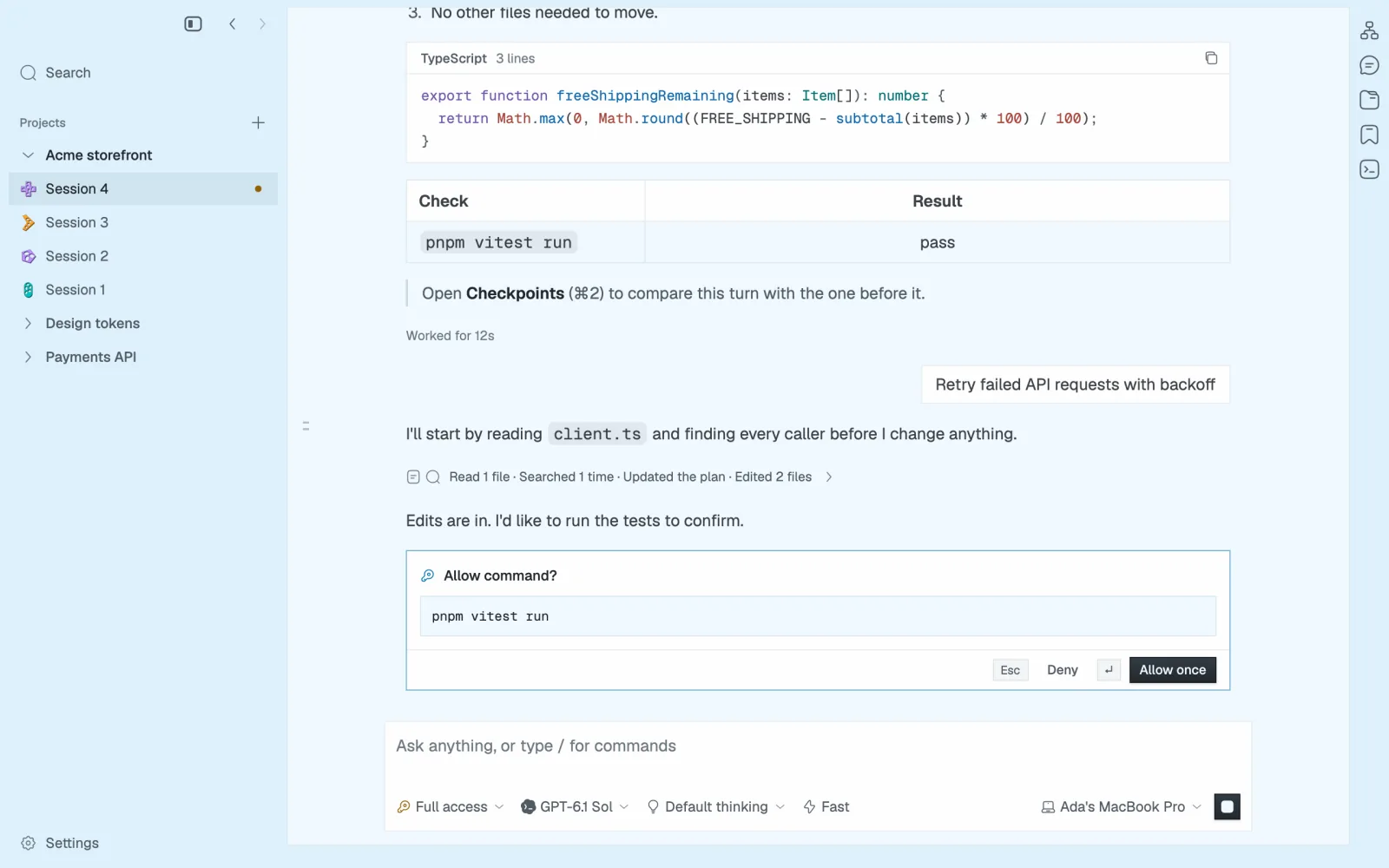
napdock runs Claude Code, Codex and Pi side by side in one native Mac app. They work in their own worktrees, stop for your OK before anything runs, and only tap you when a turn needs you.

For Apple silicon Macs. Works with no account.

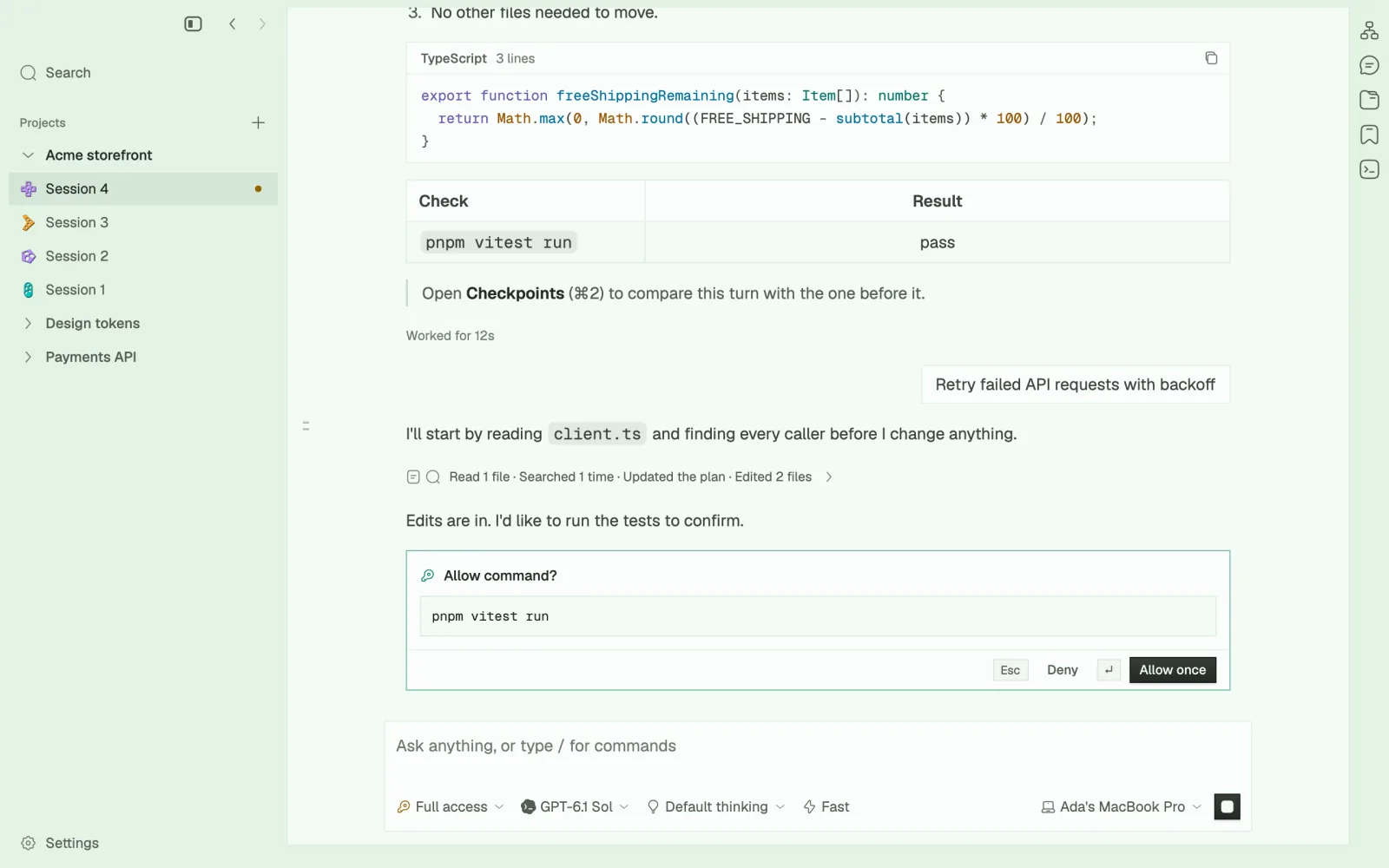
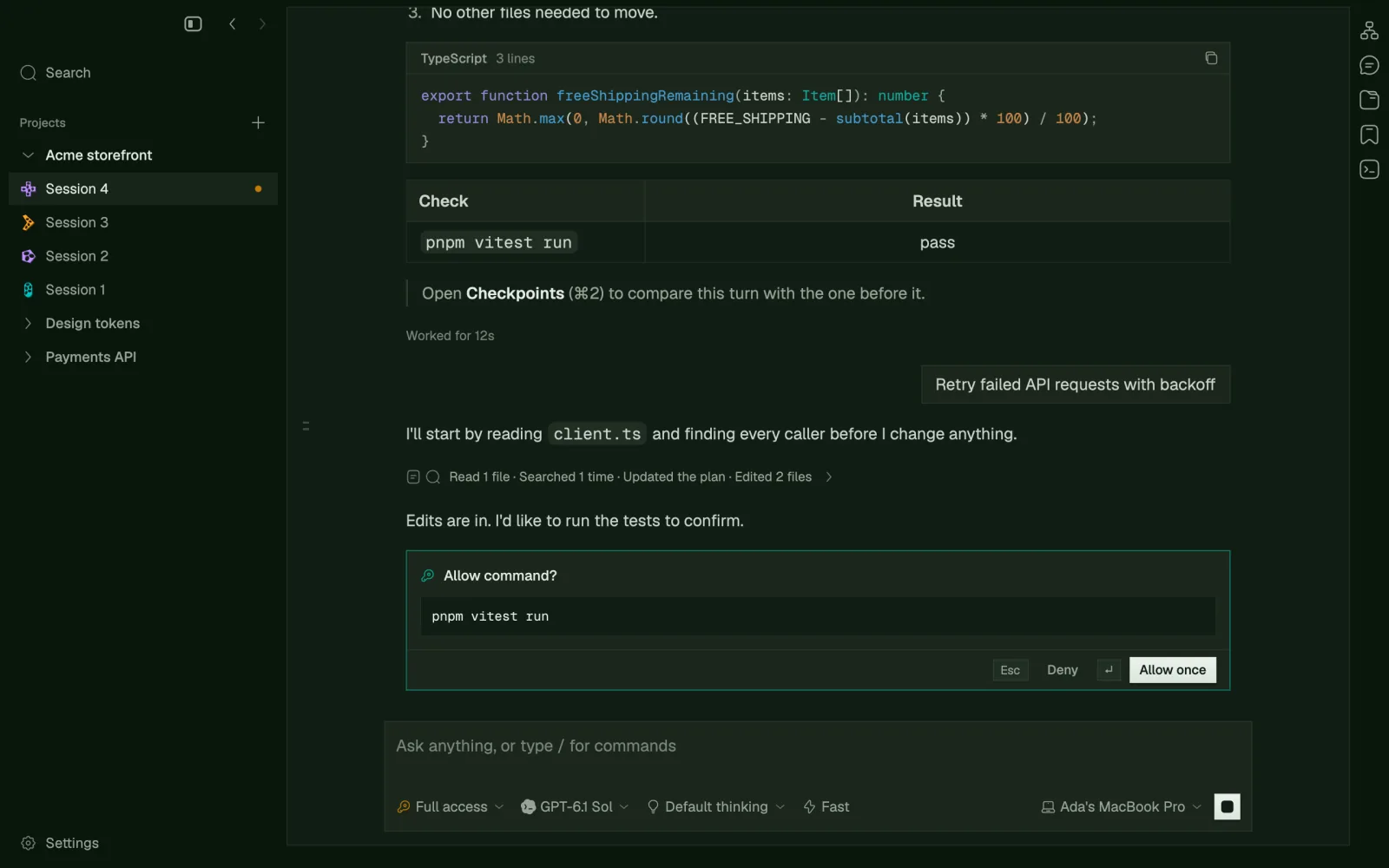
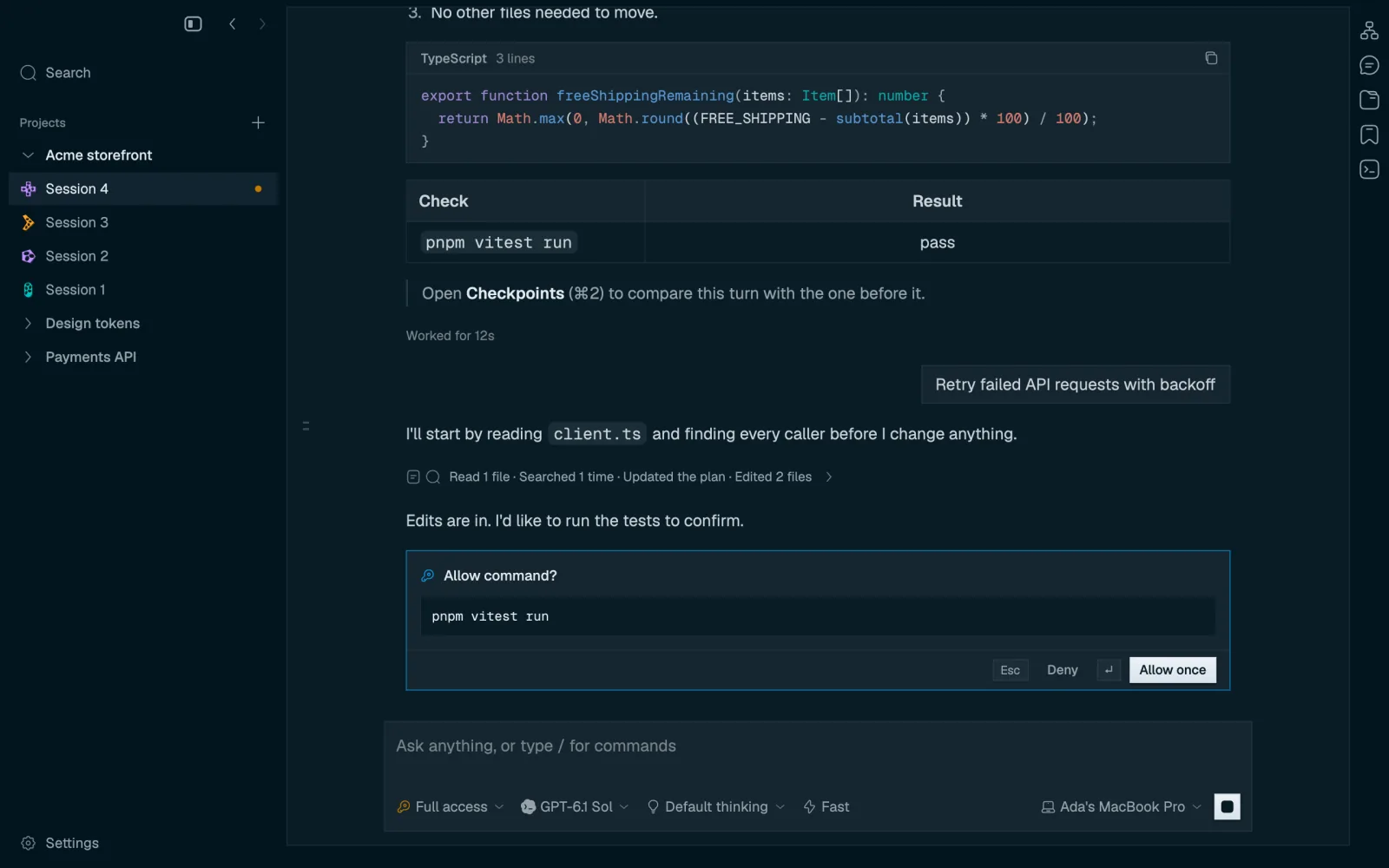
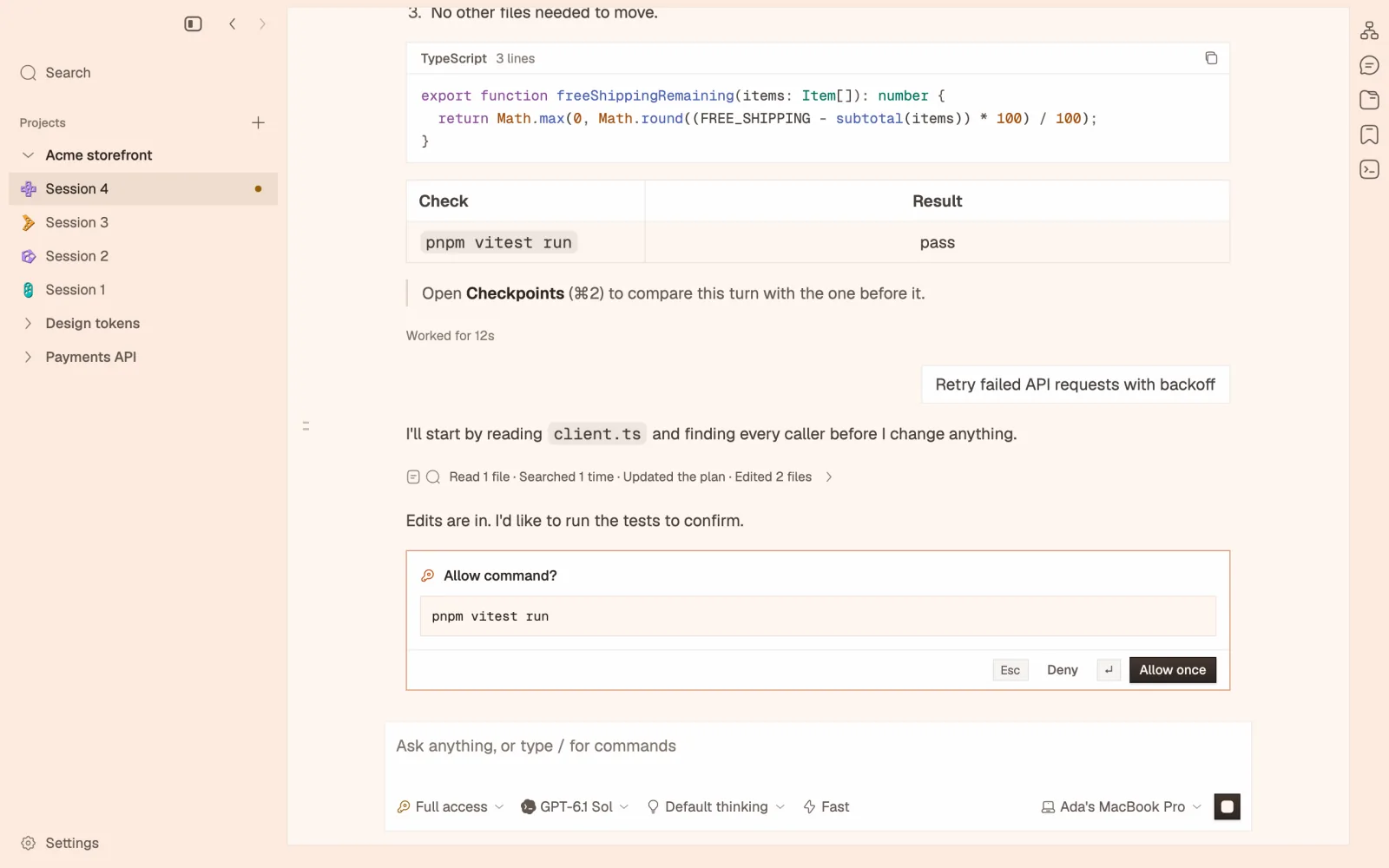
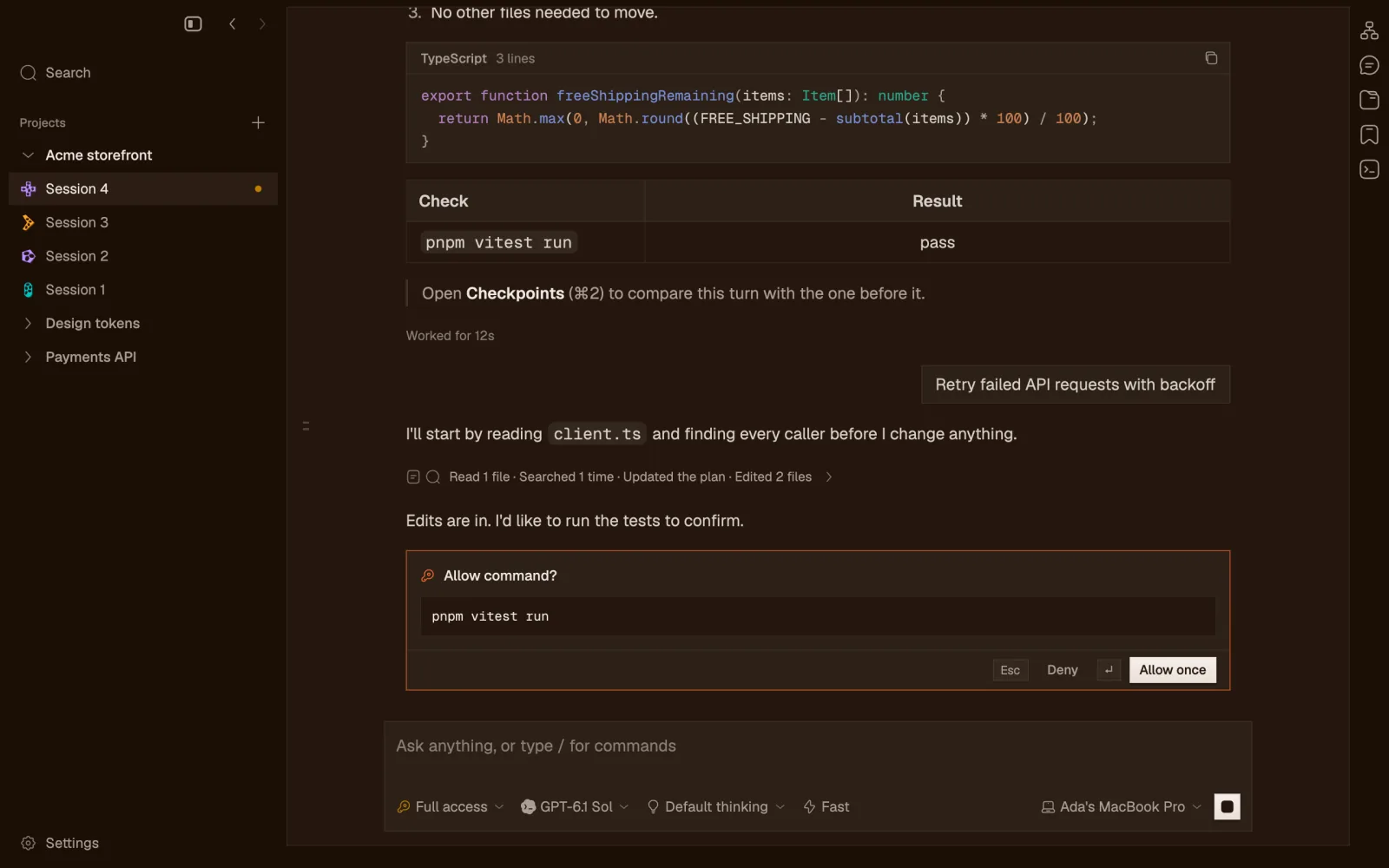
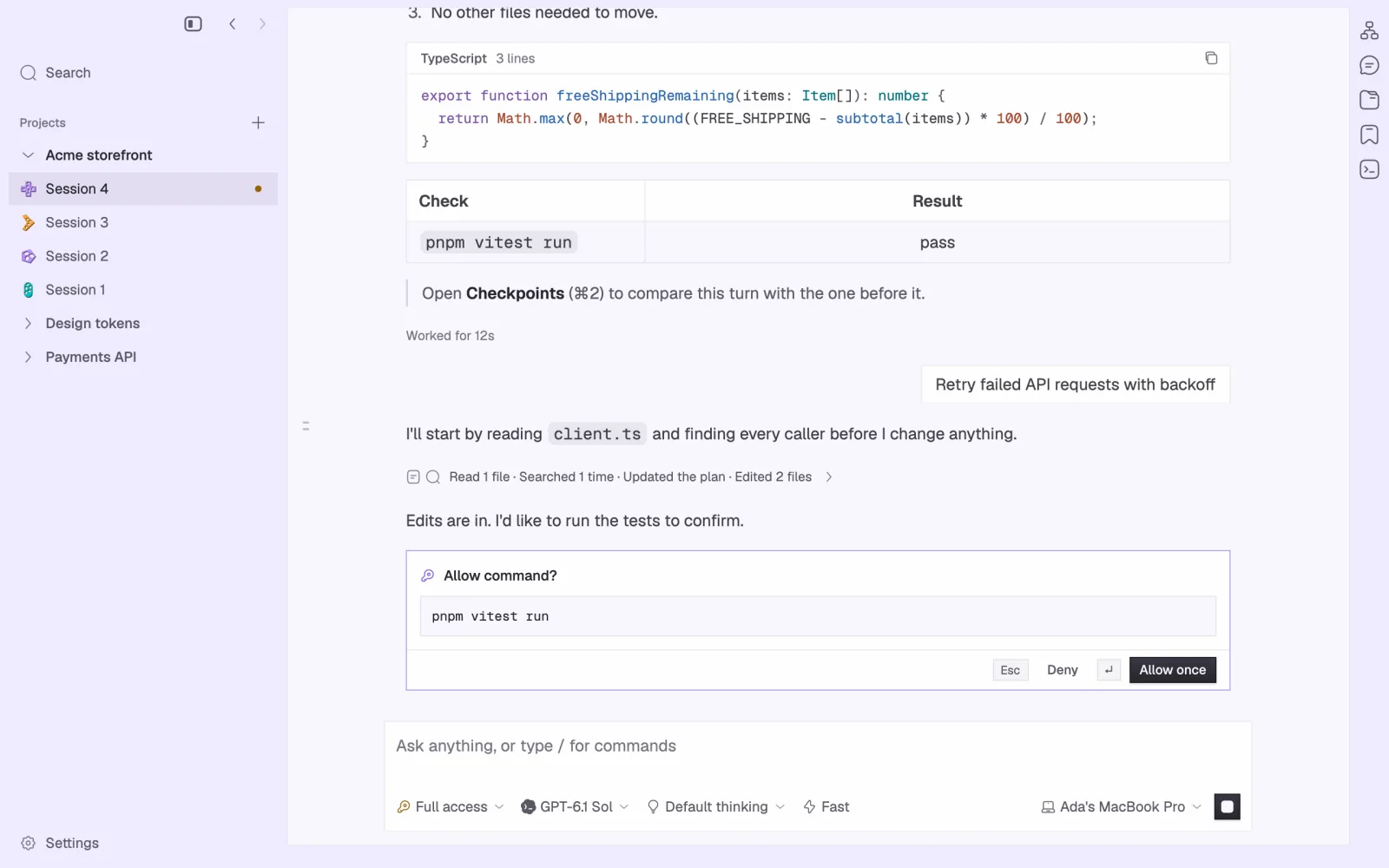
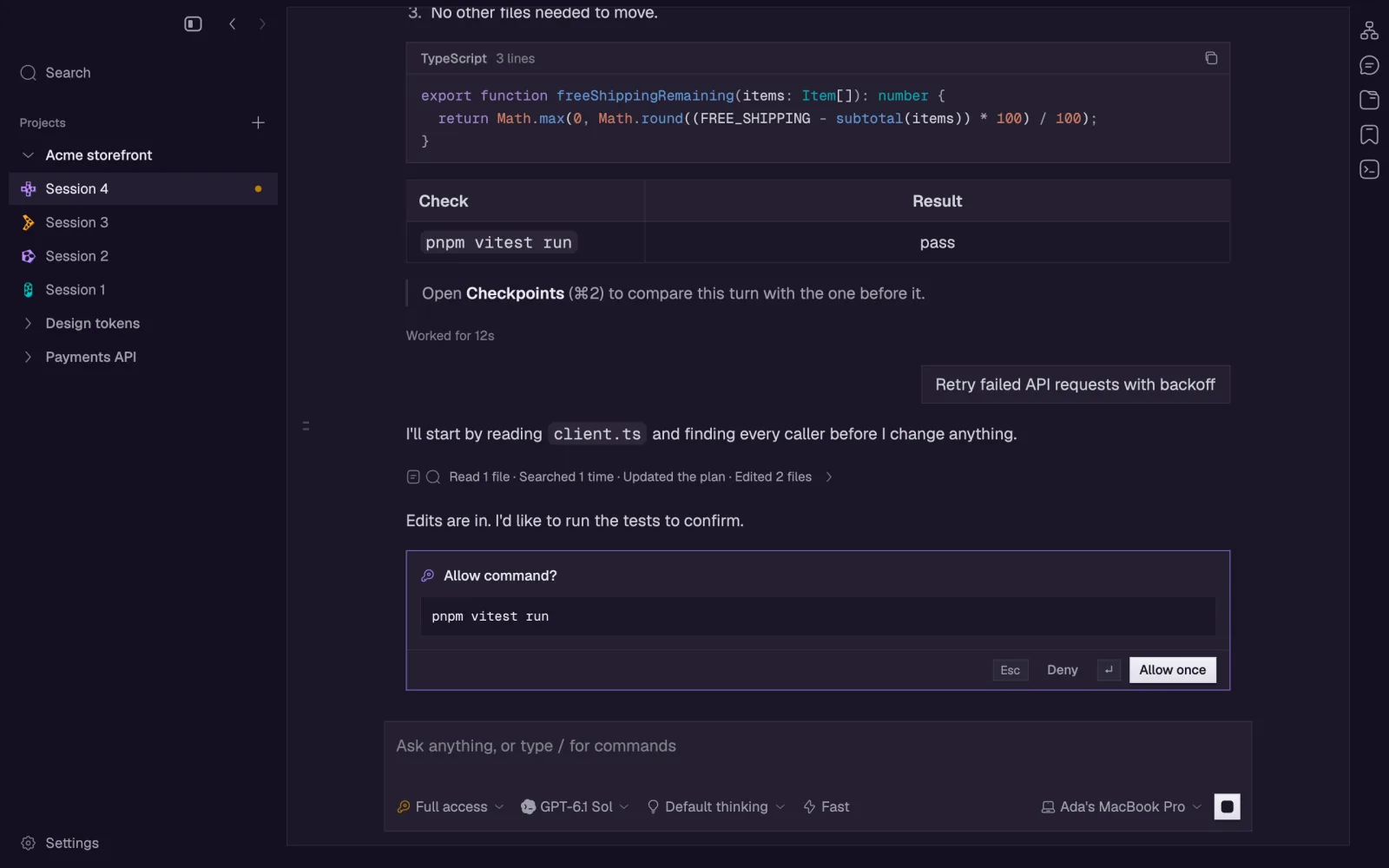
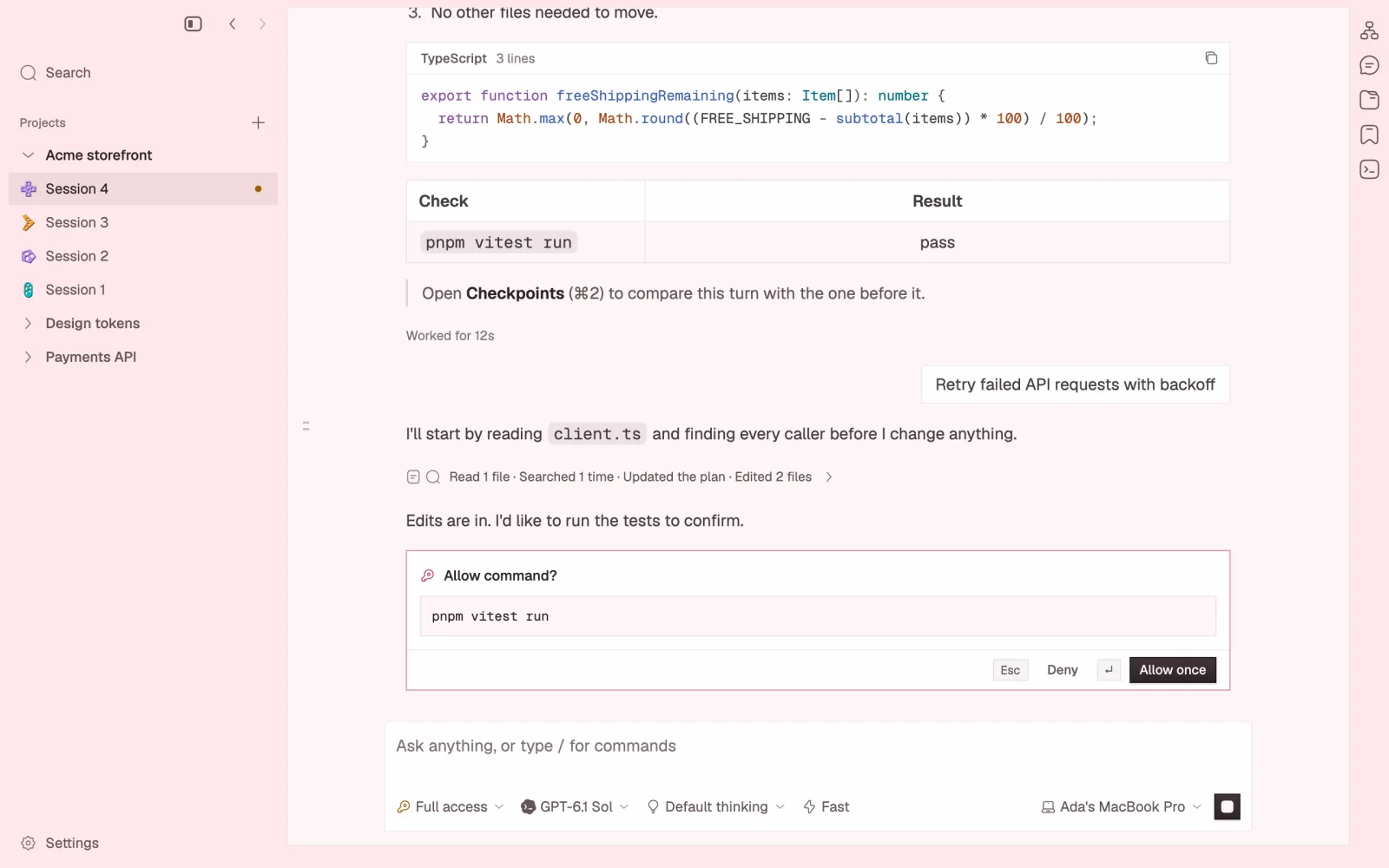
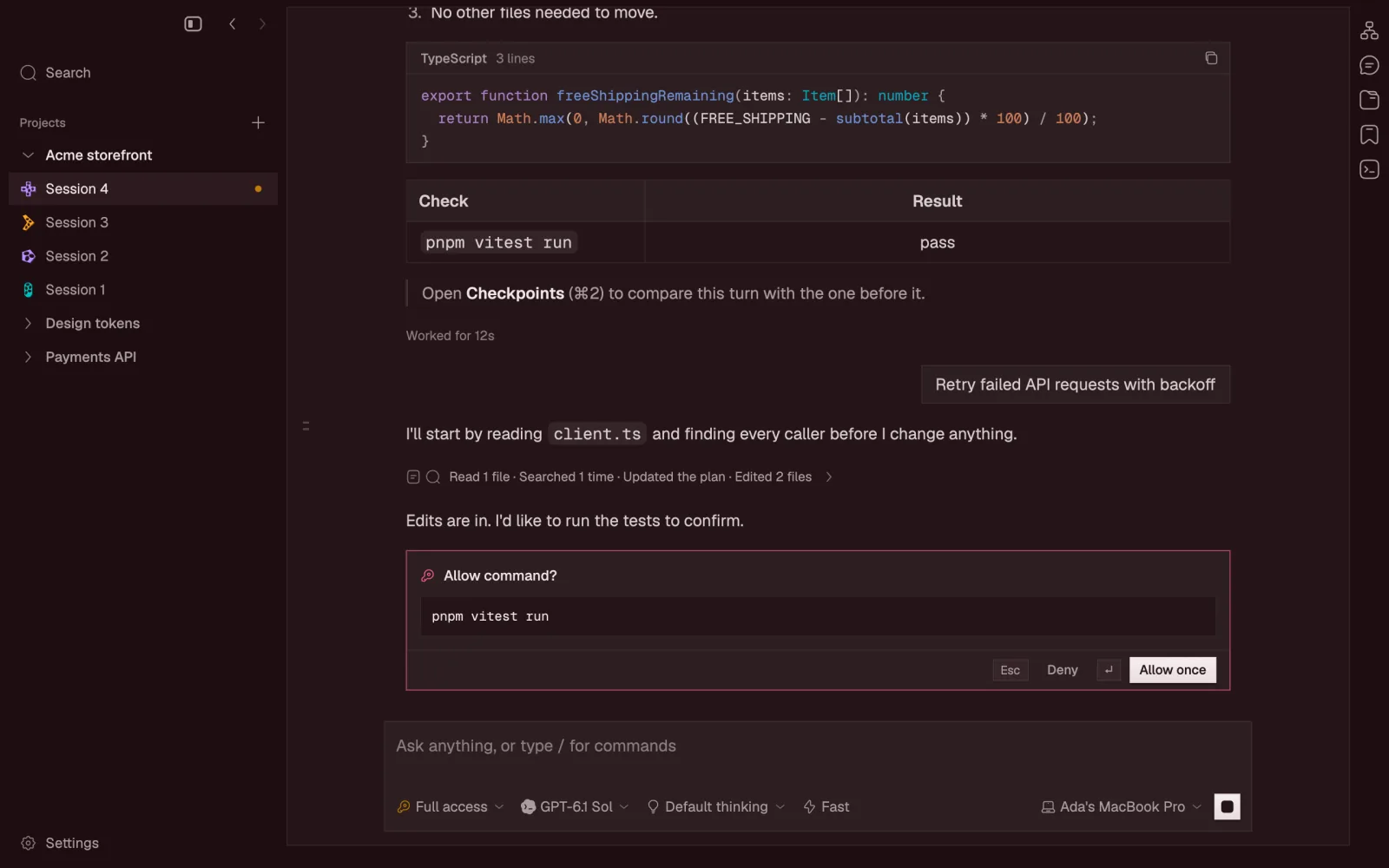
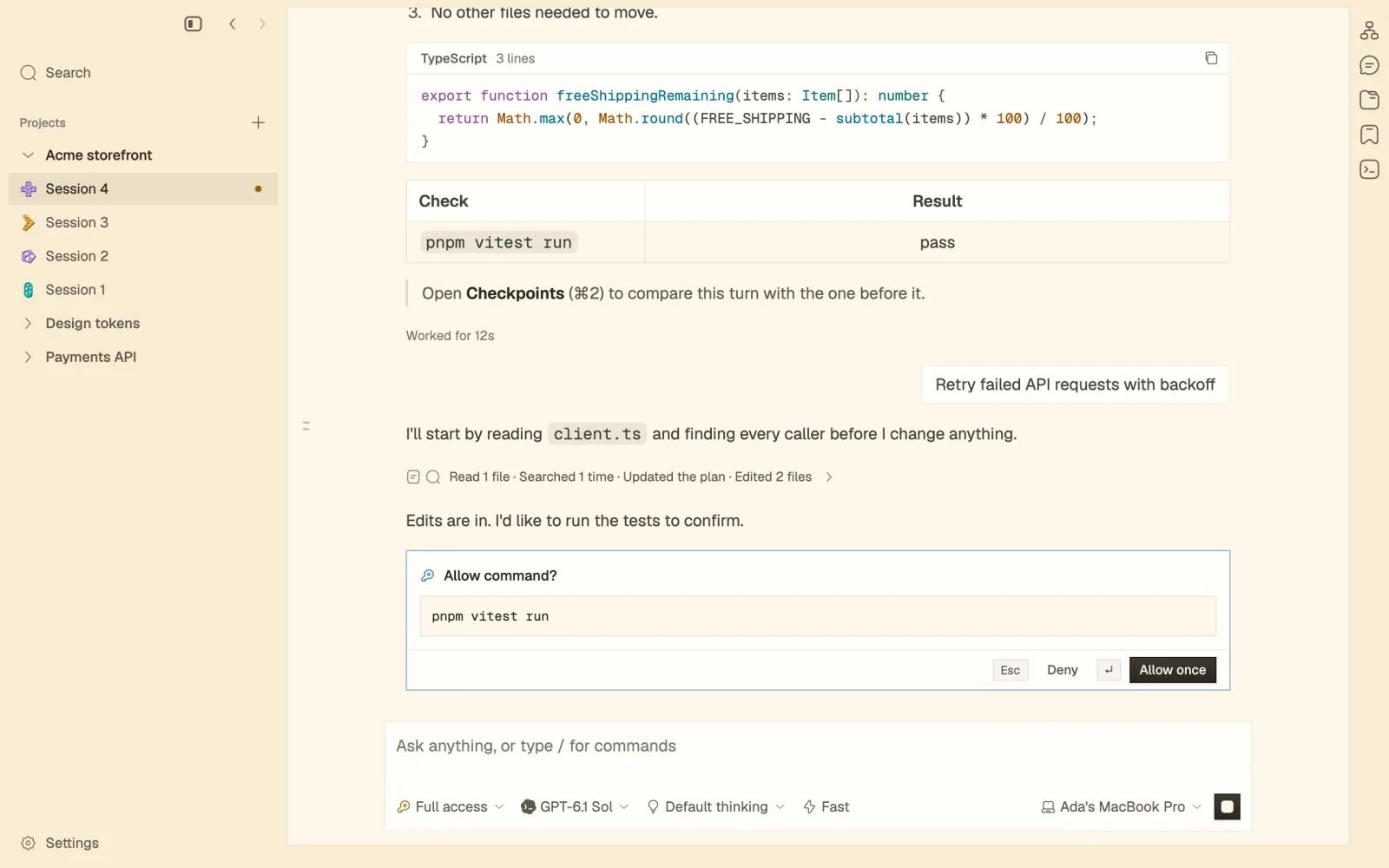
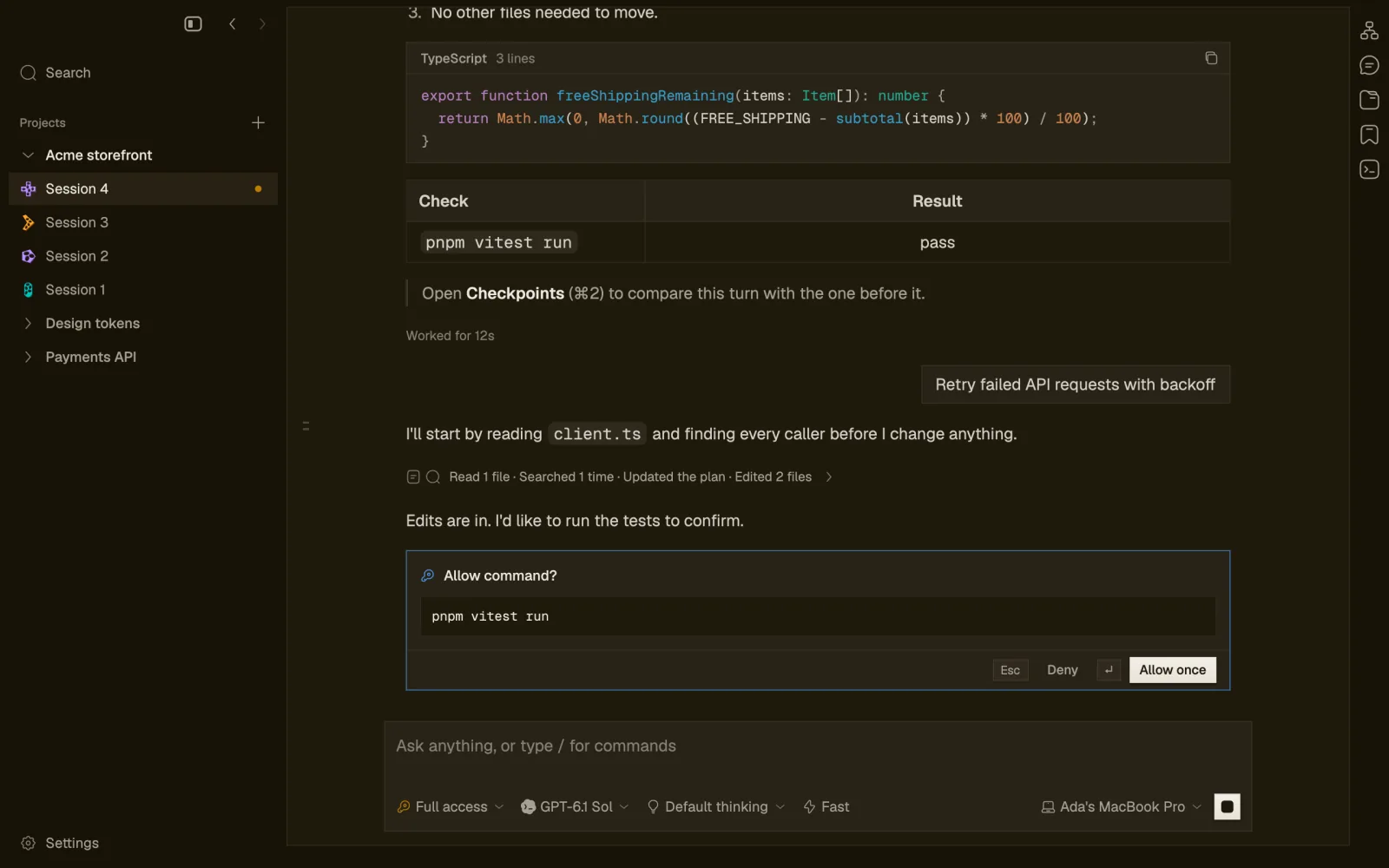
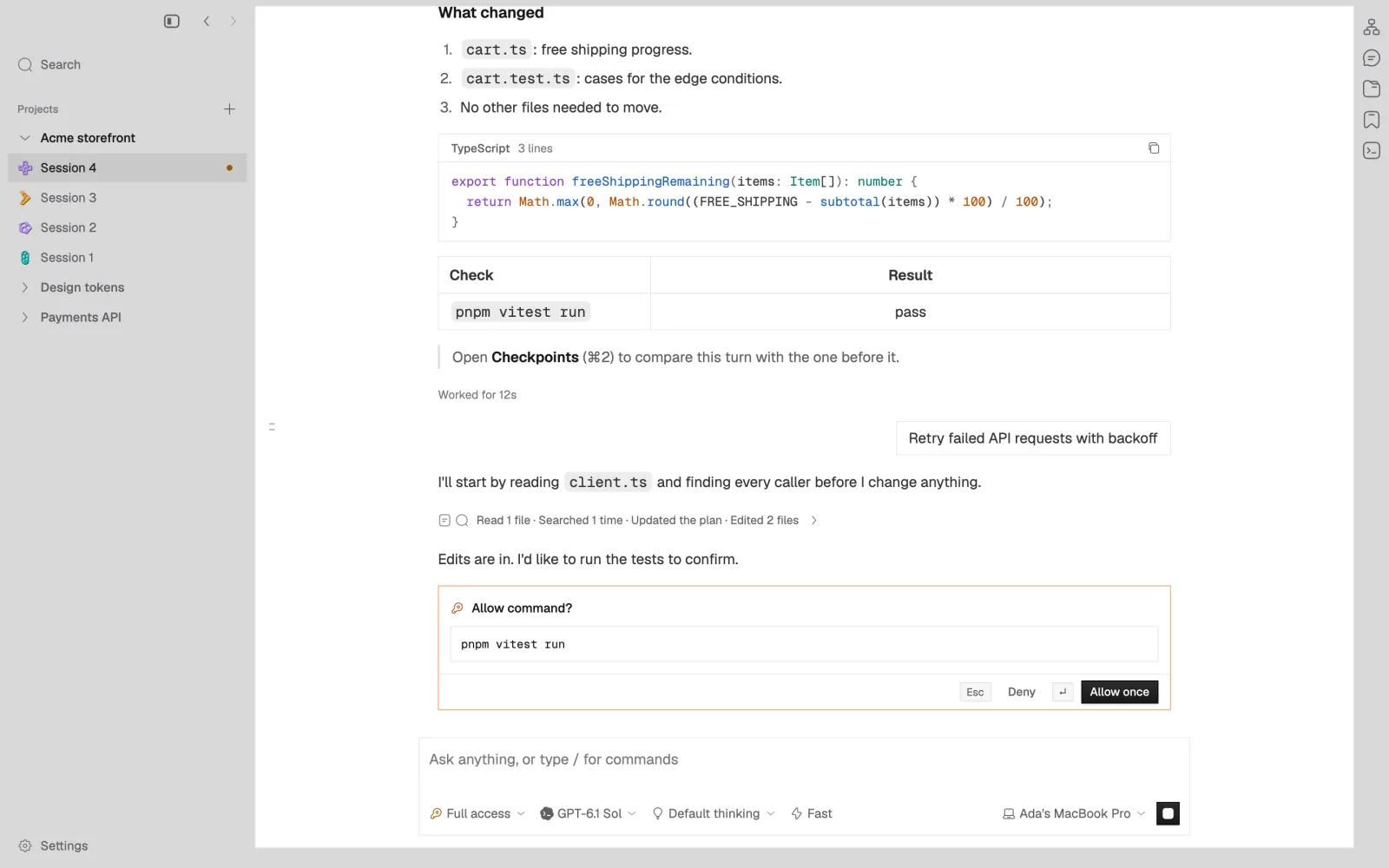
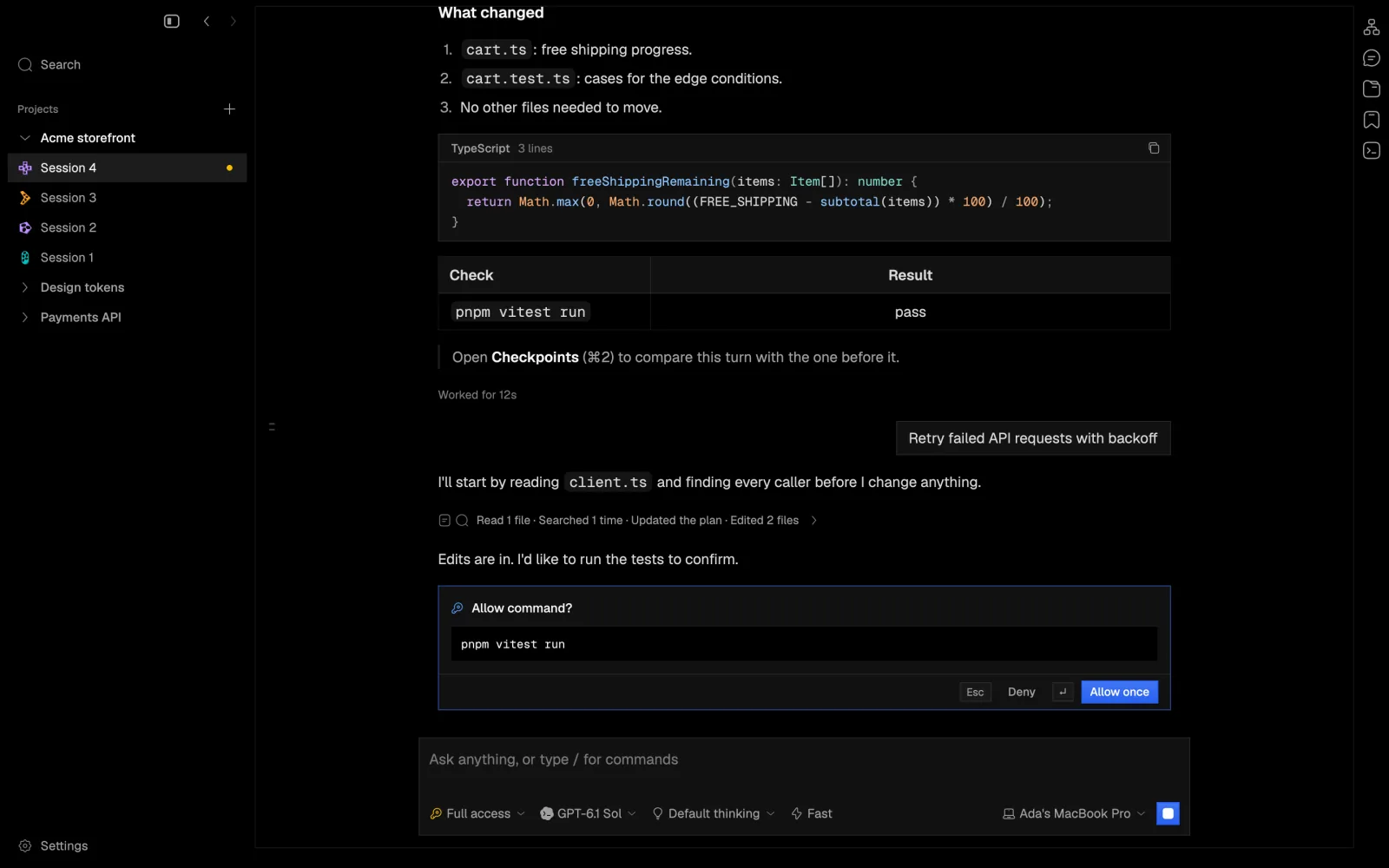
A session in the app: the agent's summary of a change, a saved checkpoint, and a request to run a command waiting for Deny or Allow once.

Every agent, one dock.

Claude Code, Codex and Pi run side by side, each signed in through its own CLI. napdock never reads or copies a login. Switch provider halfway through a session and the next agent picks up the conversation.

Claude Code Codex Pi napdock each on its own login one window

Ask. Let it work. Say yes once.

Plans, reads and edits arrive as they happen. A command waits for Allow once or Deny, and in a cloud session the turn ends in a checkpoint.

  1. Ask
  2. Read
  3. Edit
  4. Approve
  5. Test
  6. Checkpoint

An animated re-enactment of one turn: you ask Claude to fix a flaky test, it reads two files and edits one, asks before running the tests, you allow it once, twenty runs pass, and a checkpoint with two changed files is saved.

It stops when it needs you.

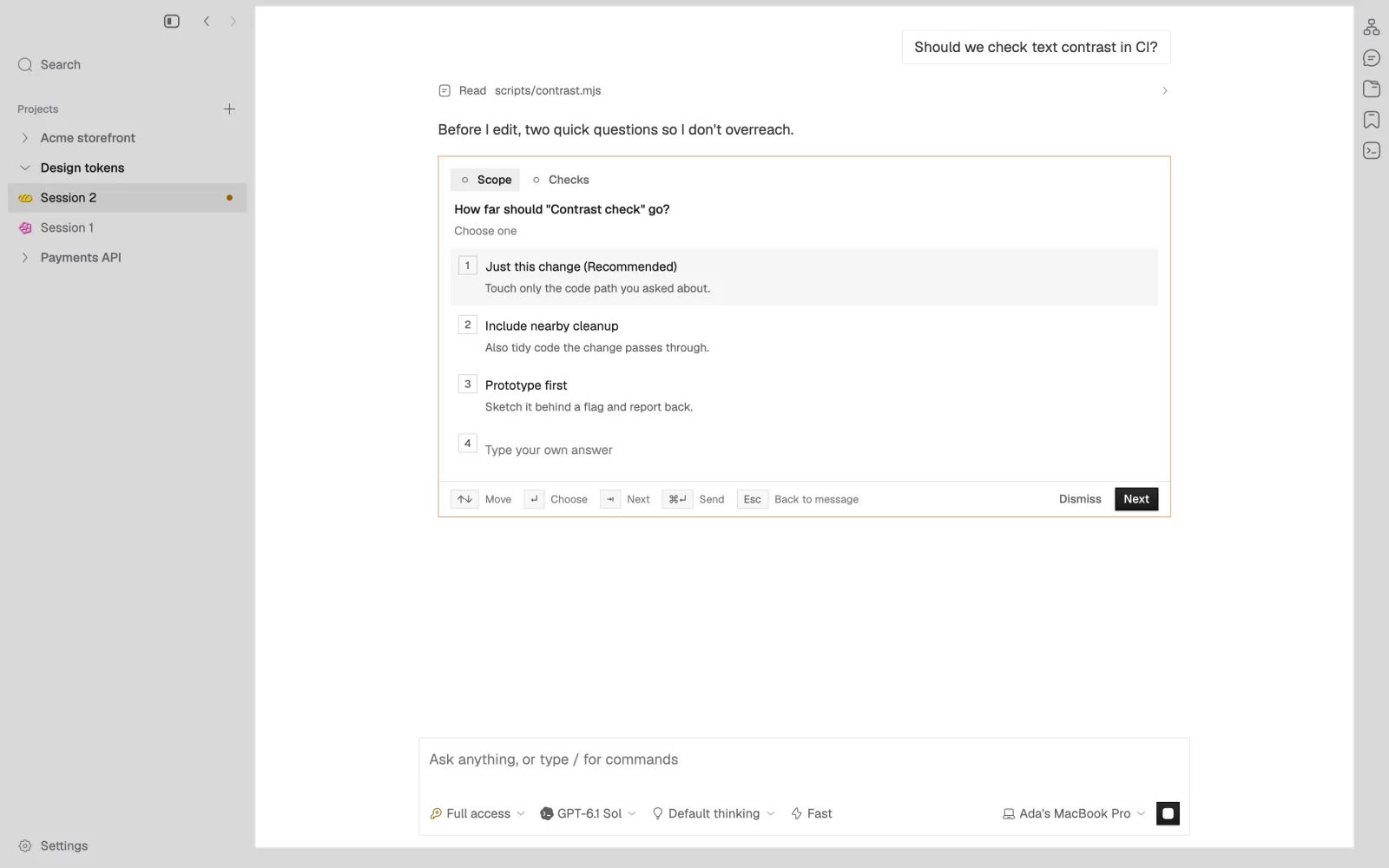
Agents show their plan, ask questions you answer from the keyboard, and wait on one approvals card for all three providers. The sidebar keeps every session that needs input at the top, so you can step away.

Permission modes, per session

SupervisedAuto-accept editsAutoFull access

you ask it works needs you? done allow deny next turn reads, edits, runs fork from any turn
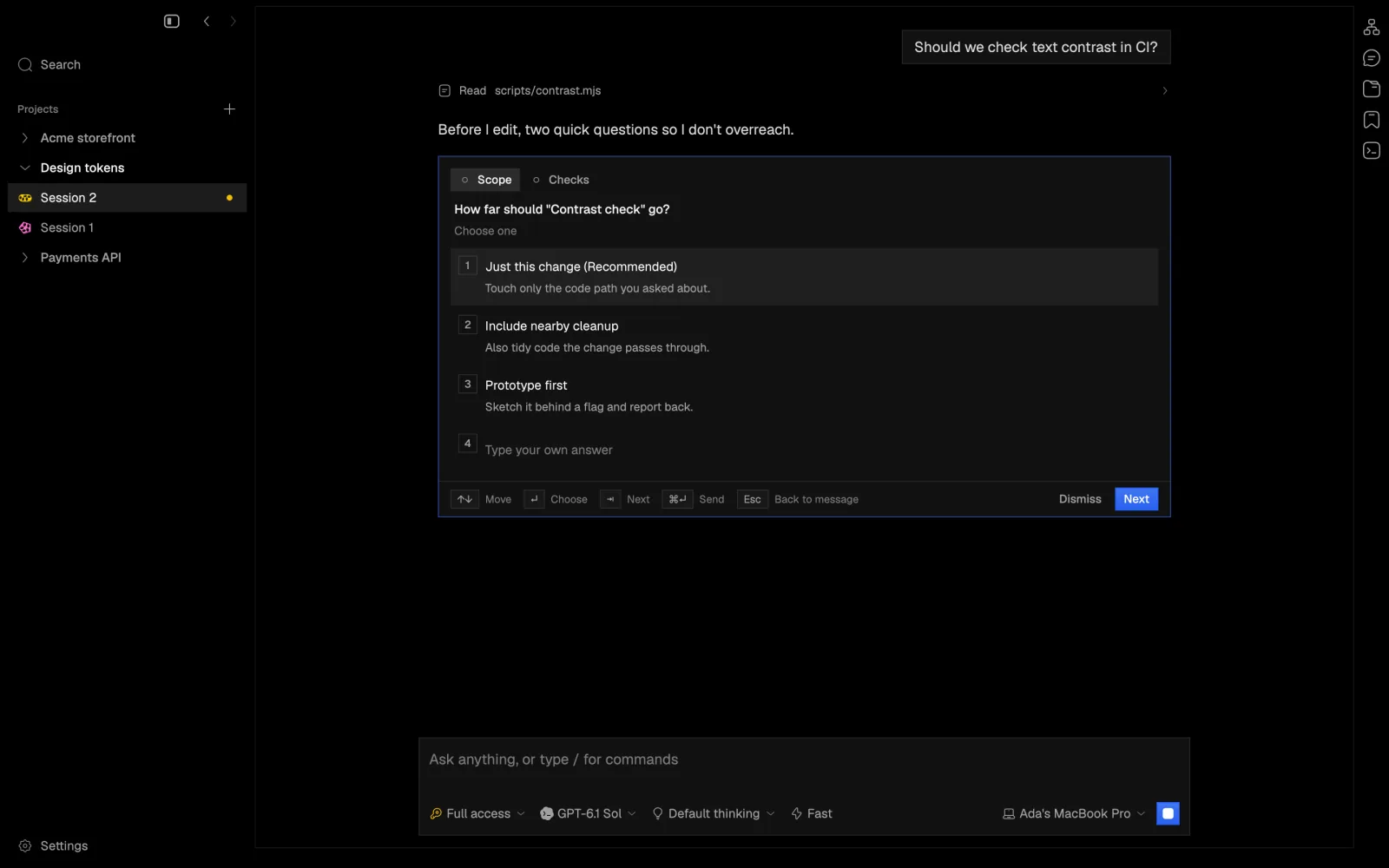
An agent asking multiple-choice questions before it edits, with a recommended answer and room to type your own.
Questions, with room to type your own answer.
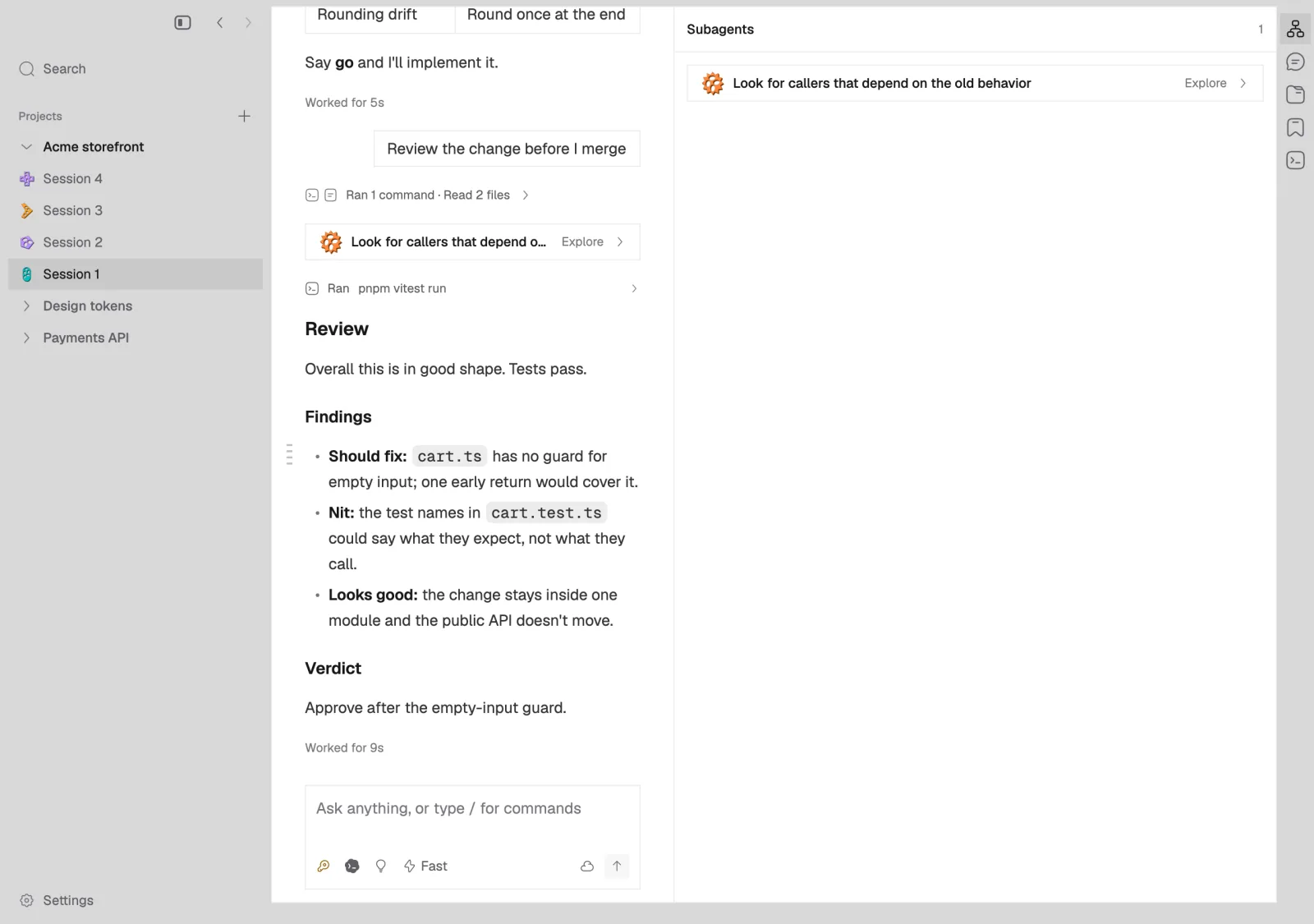
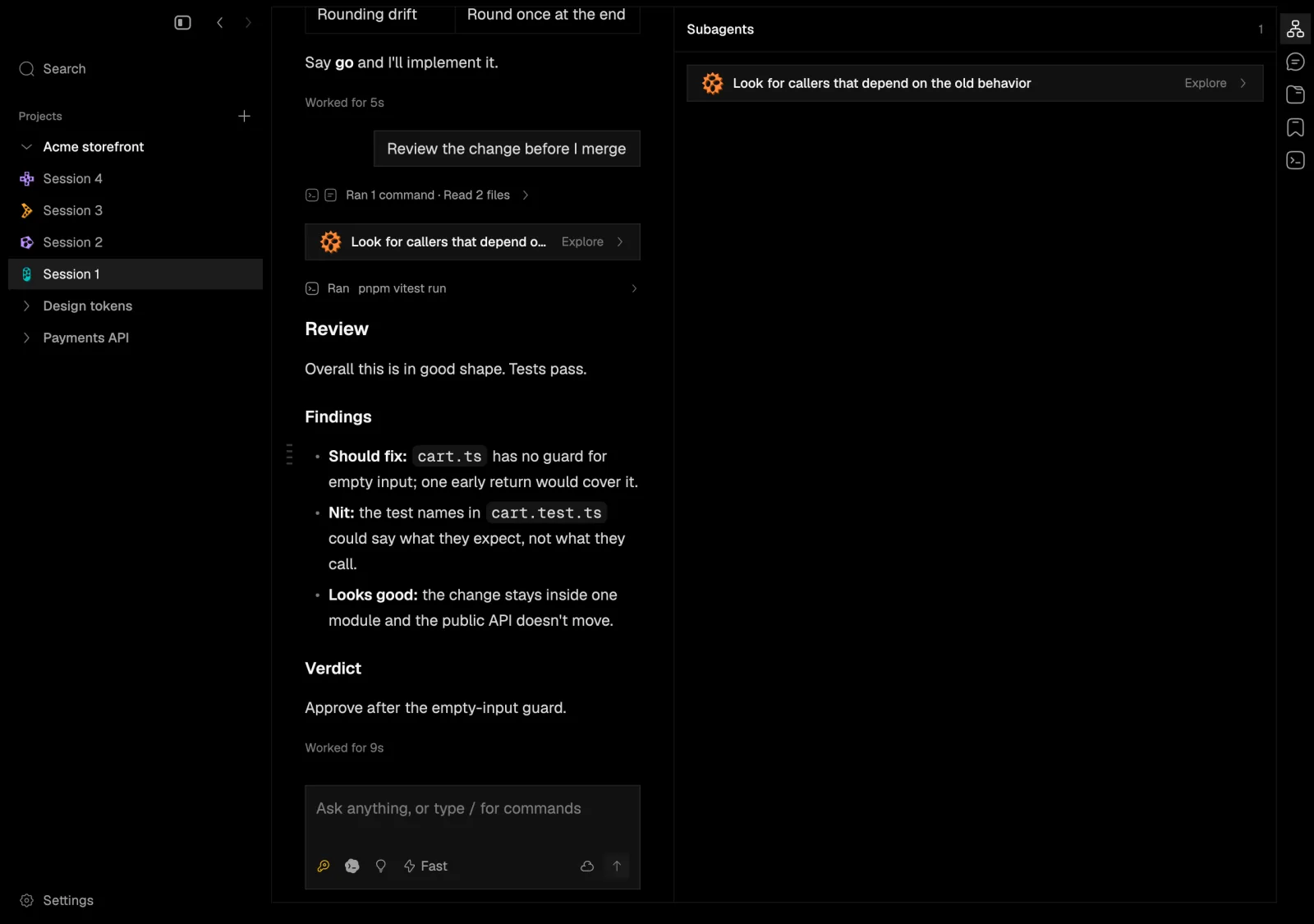
A review in progress with a Claude subagent exploring callers of the old behavior, listed live in the Subagents pane.
A review with a Claude subagent working live.

Ask on the side. Hand off the rest.

A side chat answers a quick question on a read-only copy of the conversation. Claude's subagents show live as they work, and an agent can delegate up to eight tasks to new sessions, never with more permission than its own. Each session gets its own Git worktree, so nobody edits the same checkout.

side chat a quick question, on a copy subagents your session

On your Mac, or in the cloud. Your call.

One setting, Where sessions live, decides. Everything above works on This Mac only. Sign in when you want sessions saved and free to move.

agents and turns repos and worktrees logins, in Keychain MCP and extensions your Mac the cloud only if you sign in: checkpoints, sync, moves

This Mac only

No account. Nothing leaves your Mac except what your agents send their own providers.

  • Sessions run in the executor on your Mac
  • A Git worktree for each session
  • Forks, side chats, subagents and delegated tasks
  • Logins stay with each provider's CLI

Cloud

Sign in to napdock and sessions are saved, synced and free to move.

  • A checkpoint after every turn that changes files
  • Run in a cloud container with the lid closed
  • Move a session back to your Mac, one writer at a time
  • GitHub import, previews, browser terminals and the CLI

Every turn, saved as a checkpoint.

In a cloud session, each turn that changes files saves the files and the conversation together. Drag back through them, compare from any one, or browse the files as they were.

turns a checkpoint after every turn that changes files compare files browse them as they were

Rate-limit the orders API

Checkpoint 5 at 11:02, by Codex

  • src/api/orders.ts +29 −3
  • src/api/limit.ts +12 −0
+ const limit = tokenBucket({ rate: 20, per: "second" }); export async function postOrder(request: Request) { + if (!limit.take(clientOf(request))) return tooMany(); const cart = await readCart(request);

Close the lid. The session keeps going.

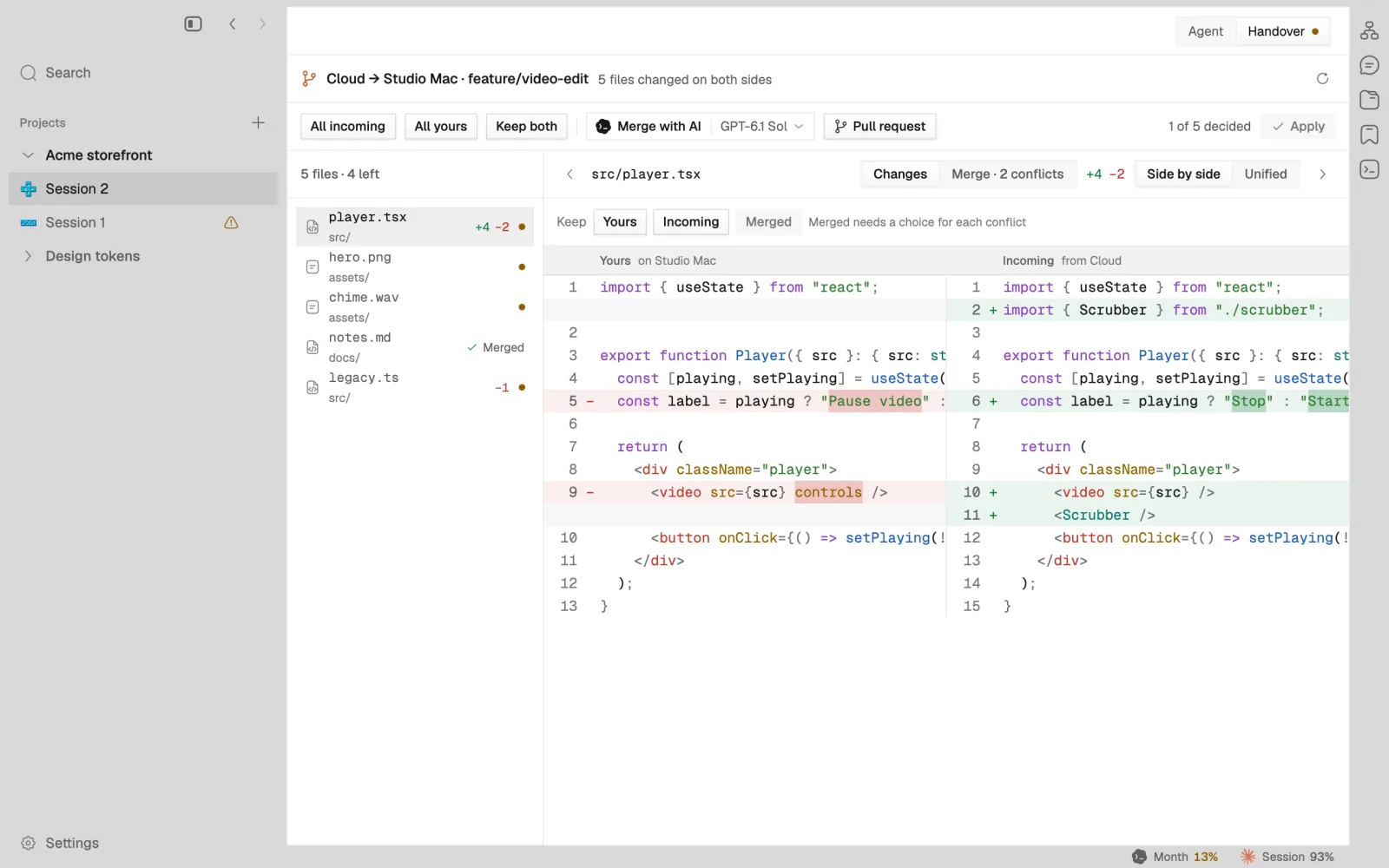
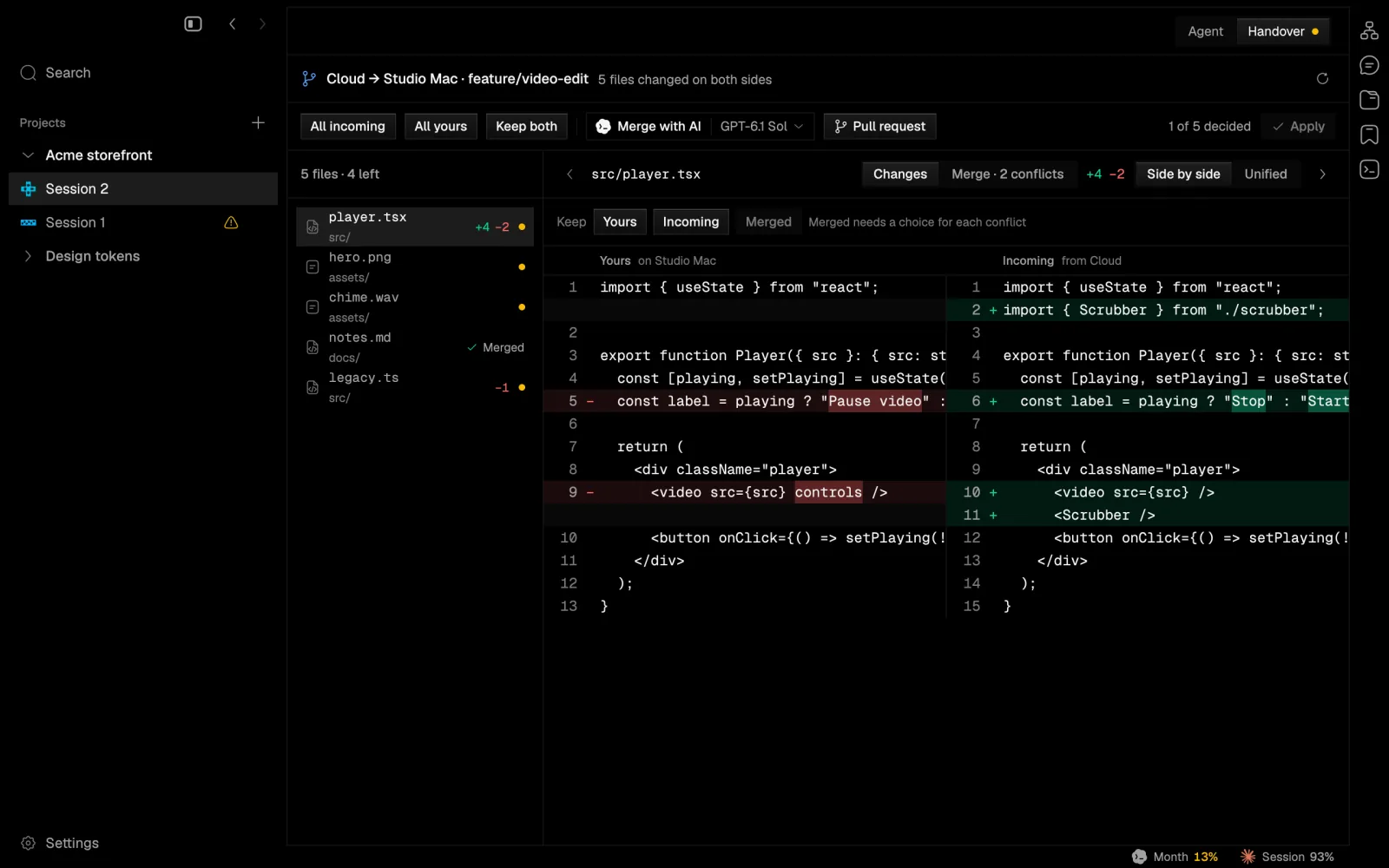
Move a session to a cloud container and back. Only one machine writes at a time, and if both sides changed files you compare Yours and Incoming, keep both, merge with AI or open a pull request.

this Mac cloud container move move back fenced once it lets go one writer at a time
A session moving from the cloud to a Mac with five files changed on both sides: a side-by-side compare of yours and incoming, with Keep both, Merge with AI and Pull request.

Native, and quiet about it.

  • Drawn on the GPU

    Rust on GPUI, drawn with Metal. No Electron and no web view.

  • Asleep when idle

    An idle window draws no frames, so agents waiting on you cost next to nothing.

  • Replies that render

    Markdown, Mermaid diagrams, math and diffs, drawn natively as the agent writes.

  • Keyboard first

    A command palette on ⌘K, a console on ⌃`, and a shortcut for every pane.

  • Drafts and an archive

    Unsent prompts keep, and finished sessions fold away until you want them.

  • Yours to dress

    18 theme families, bundled fonts, and separate interface, prose and code sizes.

Dressed your way.

Six of the 18 theme families, captured from the app itself. Import a Zed theme if yours is missing.

The app in Moss Light The app in Moss Dark
Moss
The app in Tide Light The app in Tide Dark
Tide
The app in Kiln Light The app in Kiln Dark
Kiln
The app in Dusk Light The app in Dusk Dark
Dusk
The app in Rose Light The app in Rose Dark
Rose
The app in Sand Light The app in Sand Dark
Sand

Make it yours.

Extensions are TypeScript packages that the app draws natively: panels, commands, settings pages, renderers, and tools and skills for your agents. Each one gets only the access it declares. Start from the GitHub, iOS Simulator or Browser preview examples.

Build an extension

your panel here GitHub iOS Simulator Browser preview TypeScript in, drawn natively

Asked and answered.

Do I need an account?

No. Set Settings → Worktrees → Where sessions live to This Mac only and nothing is uploaded: sessions, worktrees and history stay on your Mac. Signing in to a napdock account adds the cloud: checkpoints, sync, cloud containers and moving a session between them and your Mac. The hosted service is not open yet.

Which agents does it run?

Claude Code through Anthropic's Claude Agent SDK, Codex through codex app-server, and Pi through its RPC mode. Claude offers Sonnet 5.5, Opus 5.5, Fable 5.1 and Haiku 5.5, or any model id your account can use. Codex offers GPT-6.1 Sol, GPT-6 Astra, Sol and Luna, and GPT-5.6 Sol, Terra and Luna. Pi uses whatever models your Pi is set up with.

Whose plan pays for the model?

Yours. Each agent talks to its own provider on your own subscription or key, exactly as it does in a terminal. For Claude and Codex the status bar shows how much of your plan's limit is left.

Which Macs does it run on?

Macs with Apple silicon (M1 or later) on macOS 13 Ventura or later. There is no Intel, Windows or Linux build.

Can an agent run a command without asking?

Only if you let it. There are four permission modes: Supervised, where every command and edit waits for Allow once or Deny; Auto-accept edits; Auto; and Full access. You can change the mode for each session at any time.

Does napdock see my code?

Not in This Mac only mode: your code stays on your Mac, and only your agents' providers see what the agents send them. With a cloud session, the files in its checkpoints are stored in your account so they can be compared, synced and restored.

Every question and answer

Go on, take a nap.

Your agents will tap you when they need you.